
Building Boyo: From AI Story Form to Storycraft MVP
Turning a simple AI-powered story form into a child-centered storybook product.
Before walking through the process, I want to show where we ended up.
Boyo has four main parts:
- Library / Dashboard
- Create New Story Wizard
- Story Detail Page
- Reading Page
And together they create a simple product loop:
library -> create story -> view story detail -> read story
For the demo, I intentionally used mock data to keep the scope focused and reliable. The goal was not to prove final generation quality yet, but to validate the product experience around creating, saving, inspecting, and reading a generated storybook.
What Boyo Is
Boyo is a small AI-assisted children’s story product. The name comes from my son Berk, who says “boyo” instead of “kamyon.” That small word gave the product the tone I wanted: playful, personal, and closer to a child’s world than a technical AI dashboard.
The initial idea was simple: a user provides a few details, the application sends those inputs to an AI model, and the result comes back as a personalized children’s story.
For the first version, that is enough:
form input -> AI generation -> story output
But once that loop works, better product questions appear.
How do we persist generated stories? How does the user return to a story later? How do we support a library instead of a single result? And if Boyo is really meant to become a children’s story product, what do we need to understand about how children’s stories are actually created?
That is where the work starts moving beyond a prompt and into product design.
The First Iteration: Proving the Smallest Loop
The first version did not need a large form.
The goal was to validate the smallest useful generation loop, so the input model stayed intentionally small:
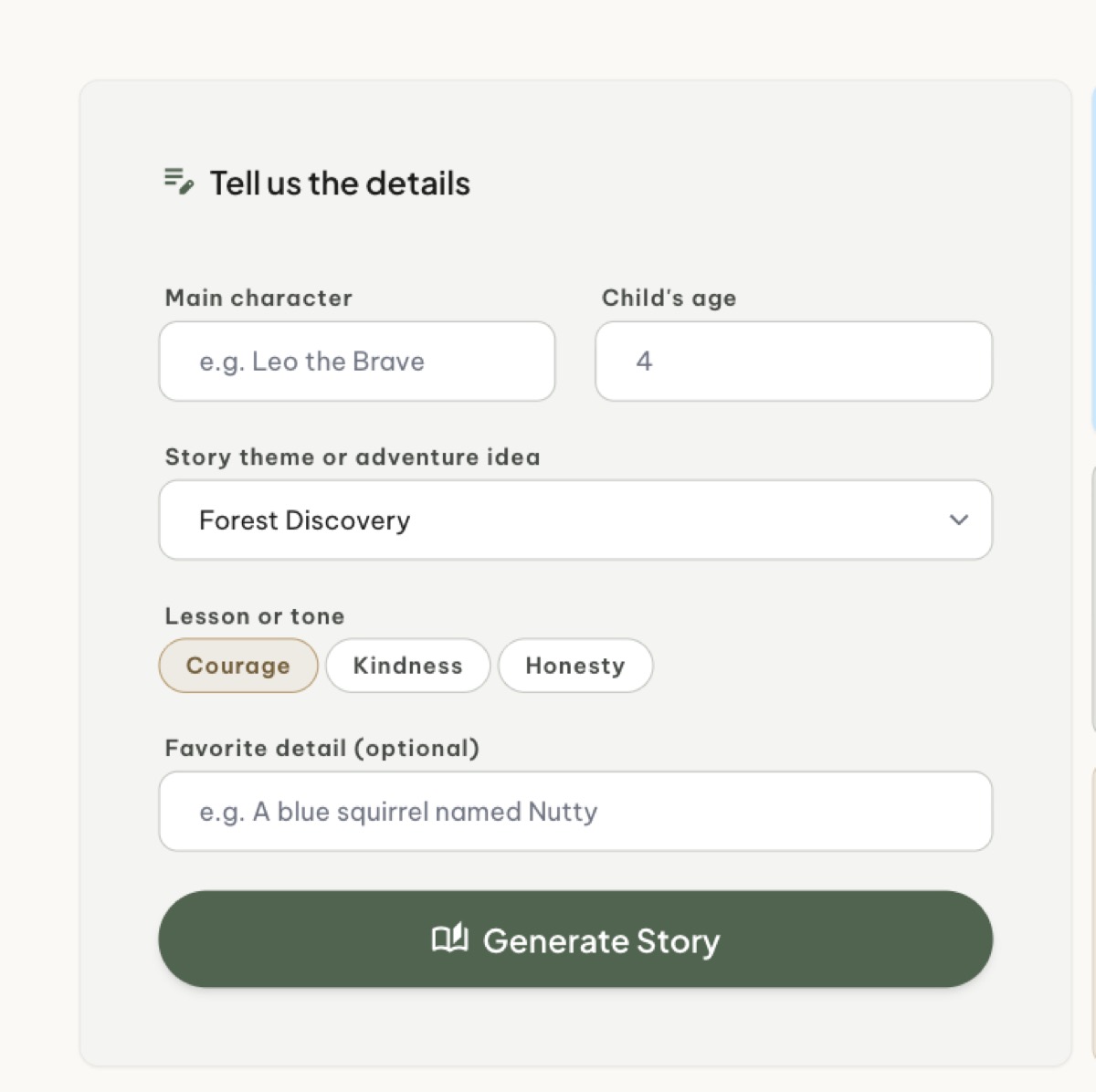
type StoryRequest struct {
    CharacterName  string `json:"characterName"`
    Age            int    `json:"age"`
    Theme          string `json:"theme"`
    Lesson         string `json:"lesson"`
    FavoriteDetail string `json:"favoriteDetail"`
}
This is a good starting point because it gives the system enough signal to create a personalized story without making the user feel like they are writing the story themselves.
For example:
- Character name: Berk
- Age: 3
- Theme: Magical forest
- Lesson: Being brave
- Favorite detail: blue cat, red rocket, sleepy moon
At this stage, the backend can stay simple:
- receive the request
- build a prompt
- call the AI provider
- return the generated story
That proves the first useful loop.
What the First Iteration Exposed
The first iteration was useful because it proved the loop, but it also exposed the next problem.
The input model had a lesson, but a lesson is not a plot.
It had a theme, but a theme is not a story structure.
It had a favoriteDetail, but a favorite detail does not automatically create narrative depth.
A generated story is also not automatically a storybook.
That was the moment to pause the application work and look at the domain more seriously.
Pausing to Understand the Domain
The next question was not technical at first.
It was product and domain related:
How are children’s picture books actually created?
If we do not understand that, we can keep adding features while the generated stories remain shallow.
A children’s story is not just short text. It has an audience, a reading level, an emotional purpose, a character, a problem, a turning point, visual rhythm, and a safe resolution.
So instead of asking only “how do we generate better text?”, the better question became:
What makes a children’s picture book work?
What Reedsy Helps Clarify
Reedsy’s guide helped frame the writing side of the product:
- reading category
- narrative voice
- character
- show, don’t tell
- editing
- illustration
Reference: https://reedsy.com/blog/how-to-write-a-childrens-picture-book/
This matters because the AI should not only receive raw form fields and produce a story. It should make writing decisions.
Age should affect sentence length, vocabulary, story complexity, emotional depth, and word count.
A story for a 3-year-old should not sound like a story for a 7-year-old.
For a 3-year-old, “being brave” should not be explained as an abstract lesson. It should be shown through a tiny, concrete action: Berk tries again after the rocket falls softly into the leaves.
That is much stronger than simply writing:
Berk learned to be brave.
Reedsy also makes the role of illustration harder to ignore. In a picture book, illustration is not decoration. It is part of the storytelling.
What BookTrust Helps Clarify
BookTrust’s Joyce Dunbar guide helped clarify the picture book architecture:
- problem
- spread thinking
- visual pacing
- text and illustration relationship
Reference: https://www.booktrust.org.uk/resources/find-resources/joyce-dunbars-guide-to-writing-picture-books/
This is a very different way of thinking compared to generating one long block of text.
A picture book needs a problem. Not a huge dramatic conflict, especially for younger children, but a gentle obstacle that creates movement.
For example:
Berk wants his little red rocket to reach the sleepy moon, but it keeps failing.
BookTrust also pushes us to think in spreads. A picture book is not just a story. It is a sequence of visual moments.
That changes the product model. Instead of generating one story blob, we can generate a spread-aware storybook structure.
The Child-Centered Storycraft Pipeline
Combining these ideas leads to a better framework.
I call it the Child-Centered Storycraft Pipeline:
- Child Profile
- Reading Category Rules
- Emotional Goal
- Story Challenge
- Child-Safe Problem
- Character Brief
- Story Shape
- Spread Plan
- Draft Text per Spread
- Illustration Briefs
- Editorial Review
- Final Storybook
The user should not have to fill all of this manually. That would be a terrible product experience.
The user should only provide a small number of high-signal inputs:
- child age
- story moment
- emotional goal
- theme
- favorite details
- avoid topics
- visual style
The system should derive the deeper storycraft decisions.
So if the user says:
- Age: 3
- Story moment: just for fun
- Emotional goal: being brave
- Story challenge: trying again after failure
- Theme: magical forest
- Favorite details: blue cat, red rocket, sleepy moon
The system can derive:
- reading category: picture book
- tone: playful and warm
- conflict level: gentle and low-stakes
- child-safe problem: Berk wants his little red rocket to reach the sleepy moon, but it keeps failing
- character arc: bravery through trying again after failure
- structure: 12-page storybook
- visual direction: playful cartoon
That is the difference between asking the user to design a story and letting the product do the storycraft work.
Why “Being Brave” Is Not the Plot
“Being brave” is not the plot.
It is the emotional arc.
The plot needs a specific child-safe challenge.
For “being brave,” possible story challenges could include:
- trying something new
- asking for help
- going first
- telling the truth
- trying again after failure
- joining others
- speaking up kindly
Each one creates a different kind of story.
In Boyo, I used “trying again after failure.” That gives us a more specific story and avoids the most generic version of a bravery story.
From the Pipeline Back to Product
After the domain research, the product direction became clearer.
Boyo should not only generate a story. It should create a saved storybook object.
That means the loop should no longer be:
form -> AI response
It should be:
library -> create story -> view story detail -> read story
That gives Boyo a real product shape.
The MVP Screens
At the MVP level, Boyo came together as four connected product screens.
Library / Dashboard
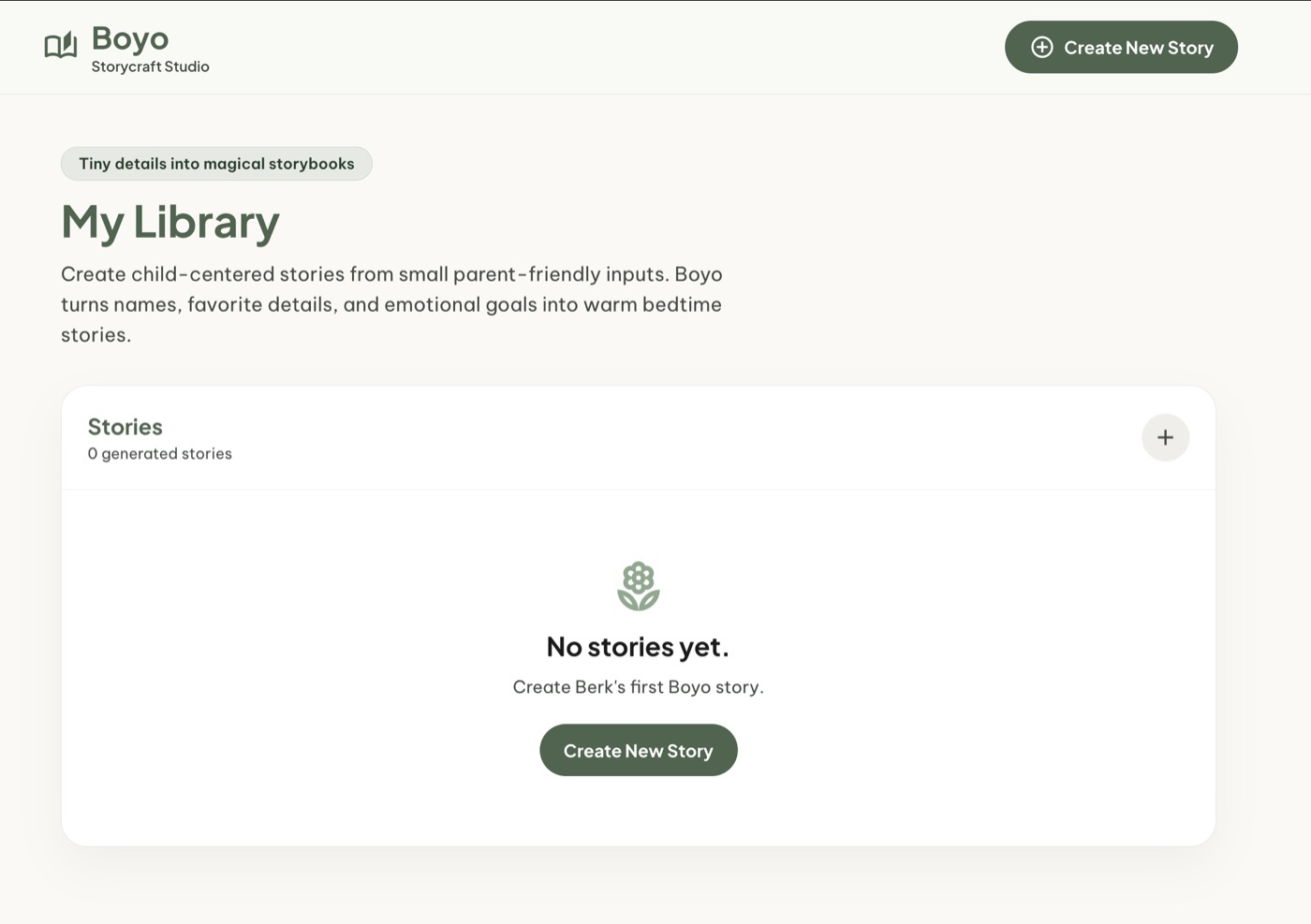
Stories are saved product objects now, not temporary AI responses. The dashboard gives the product a home and gives the user a place to return to.
Create New Story Wizard
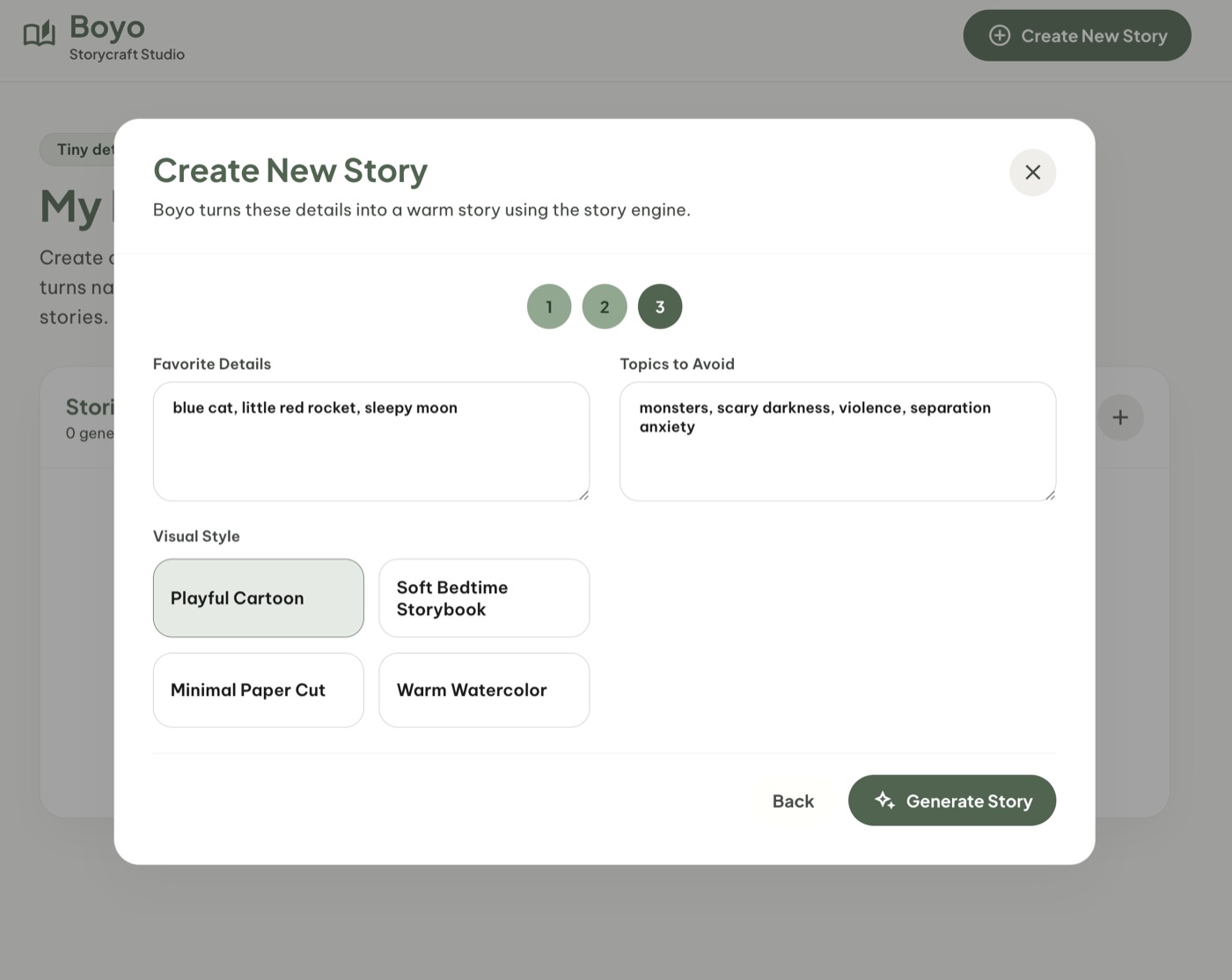
The creator is where the user gives intent, not a prompt. The system should turn that intent into storycraft decisions.
Story Detail Page
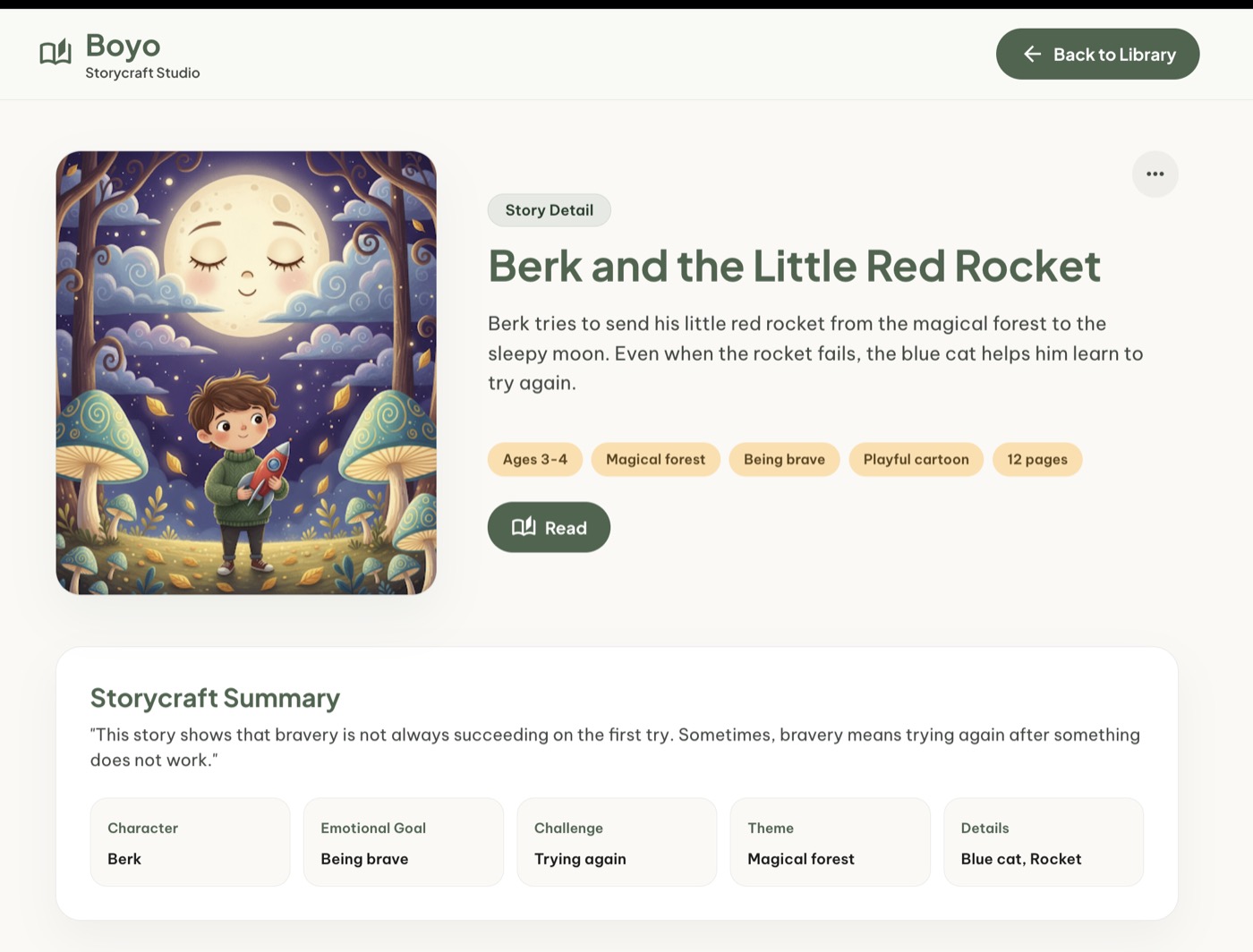
The story detail page turns the output into a product artifact with identity, metadata, and visual direction.
Reading Page
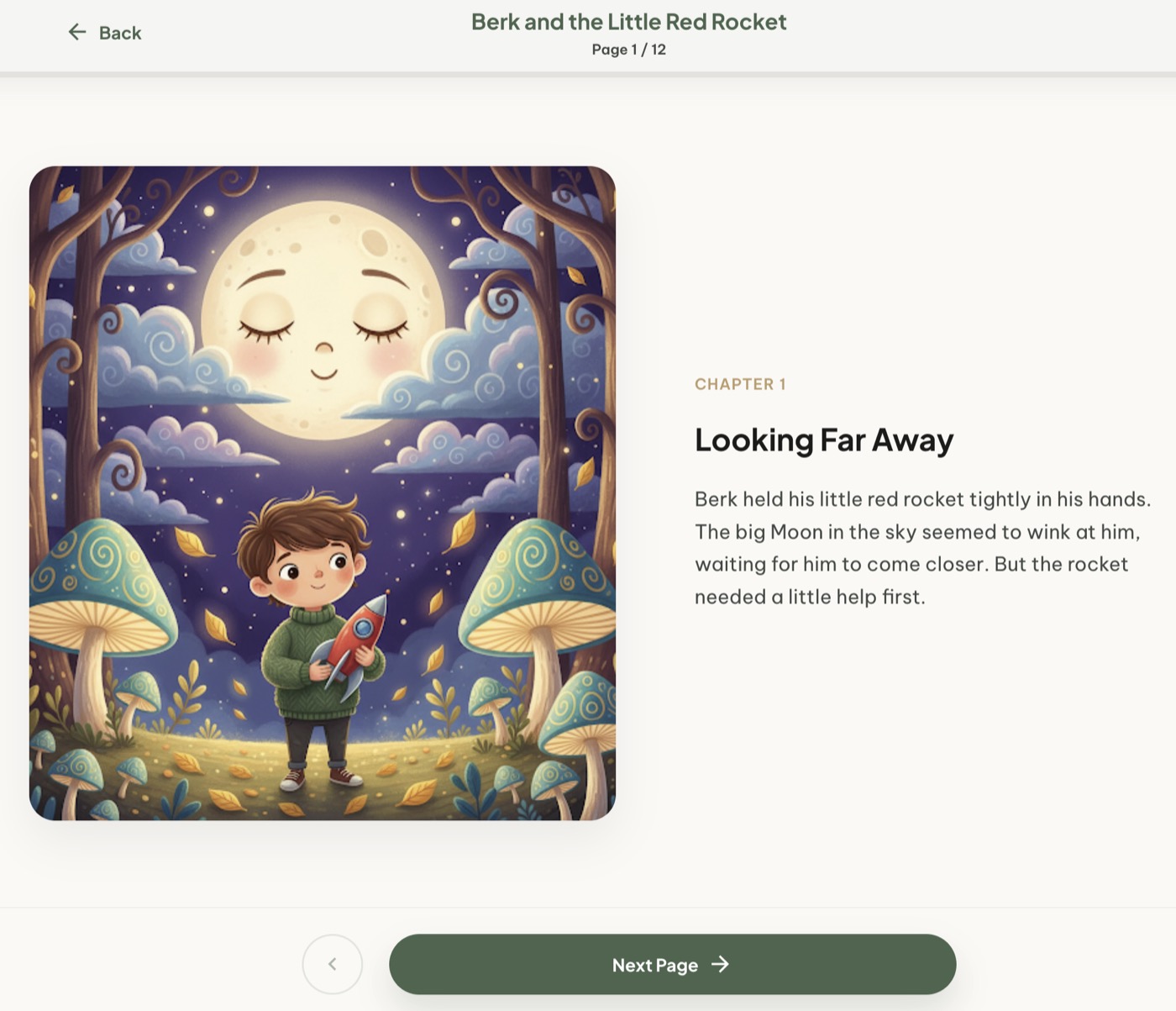
The reading page turns the story into a page-based experience. That matters because picture books rely on pacing, visual rhythm, and a sequence of moments rather than one long text blob.
The Technical Shape
The backend does not need to be complicated.
The main endpoint could be:
POST /api/storybooks
Internally, the service can be organized around a StorybookService and an LLMClient.
The AI provider should sit behind an interface so the product can use a mock provider during development and a real provider later.
That makes it possible to build the UI, persistence, and flow without depending on external API availability.
Tools Used During the MVP
I would not use one AI tool for everything.
Different tools are useful at different stages of product development.
ChatGPT helps with brainstorming and product reasoning.
Stitch helps with interface exploration.
Codex helps once the product direction becomes concrete and the backend, frontend wiring, handlers, and persistence need to be implemented.
The value is not “AI builds the whole app.”
The value is using the right AI tool at the right stage.
The Stack: Optimized for Product Testing, Not Premature Scale
For this MVP, the goal was not to choose the most scalable architecture.
The goal was to test the product loop quickly, keep the implementation simple, and reduce development friction.
The application uses React for the frontend and Go for the backend.
For persistence, SQLite is enough.
We also intentionally avoided Docker for this MVP.
The MVP should optimize for:
- fast iteration
- low operational overhead
- simple local development
- easy debugging
- clear product flow
- minimum infrastructure
Not for:
- maximum scale
- complex deployment topology
- microservices
- distributed storage
- premature production hardening
For now, the riskiest part of Boyo is not whether React can render the UI, whether Go can serve the app, or whether SQLite can store the stories. The real risk is whether the storycraft pipeline can consistently create good, safe, age-appropriate, page-aware children’s stories.
The stack should support that learning loop, not distract from it.
What We Intentionally Left Out
Auth, billing, export, and sharing are important, but they are not the core risk right now.
The core risk is the storycraft pipeline.
We still need to learn:
- whether stories feel different enough from each other
- whether the emotional arc feels natural
- whether the text stays age-appropriate
- whether the story avoids becoming too didactic
- whether the 12-page structure actually improves the experience
- whether illustrations support the story instead of distracting from it
Until that pipeline becomes stable, spending too much time on surrounding product infrastructure would be a distraction.
Those surrounding problems matter, but they are known problems with known solutions.
Authentication can be handled with Supabase Auth. Billing can be handled with Stripe. File storage can be handled with object storage. Email can be handled with a transactional email provider.
The harder and more product-specific question is this:
Can we reliably turn small child-centered inputs into good, safe, age-appropriate, page-aware stories?
That is why I intentionally left out:
- full authentication
- billing
- subscriptions
- advanced account management
- public sharing
- PDF export
- complex child profiles
- perfect image consistency
- advanced story editing
- production analytics
What Comes Next
Once the MVP works, the next steps become much clearer.
The first improvement is a stronger story data model.
Instead of storing only the final generated text, the app should store a structured storybook:
- title
- summary
- input parameters
- storycraft decisions
- pages
- illustration prompts
- status
- created date
- updated date
The second improvement is a stronger generation pipeline:
- generate story brief
- generate child-safe problem
- generate character arc
- generate 12-page structure
- draft page text
- generate illustration briefs
- review the output
- revise if needed
The third improvement is image generation, starting carefully:
- cover image first
- then selected key pages
- then full 12-page generation
- then character consistency controls
The fourth improvement is page-level regeneration:
- regenerate page 4
- make this page funnier
- make the ending calmer
- change the blue cat into a fox
- make the language easier for a 3-year-old
And after the storybook output becomes strong enough, features like child profiles, PDF export, shareable links, and print-friendly layouts make more sense.
Final Thought
Boyo starts with a small word from my own home.
That feels right for a children’s story product.
The product should not start with infrastructure, billing, or dashboards. It should start closer to the child’s world: small words, favorite objects, playful details, and stories that help those details become something meaningful.
The first version proves the loop. Domain understanding gives the product direction. Persistence and storybook structure make it something users can return to.
That is the shift from prompt generation to storycraft.